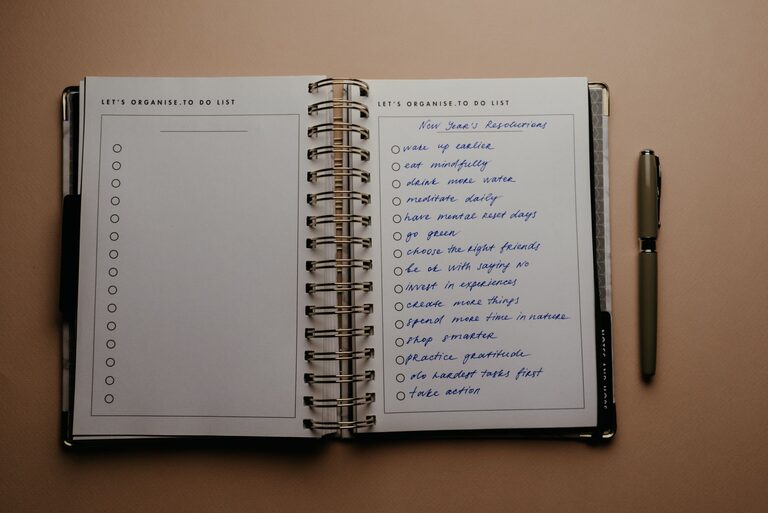

A weekly reset routine is a regular time to pause, review the past week, and prepare for the next one. It can help you reduce clutter, organize commitments, and begin Monday with a clearer sense of direction.
The best routine is not the longest or most detailed. It is one you can repeat without feeling overwhelmed. With a few practical steps, you can create a weekly reset that fits your schedule, energy, and personal priorities.
What Is a Weekly Reset?
A weekly reset is a set of small tasks completed once a week to prepare your home, calendar, work, and personal plans. Many people choose Sunday, but any day can work. The important thing is consistency.
A reset may include:
– Reviewing your calendar
– Planning important tasks
– Cleaning key areas
– Preparing meals or groceries
– Organizing digital files
– Checking personal goals
– Making time for rest
You do not need to complete every possible task. Start with the areas that create the most stress during your week.
Step 1: Choose a Regular Time
The first step is to choose a time you can protect most weeks. Consider when you naturally have more energy and fewer interruptions.
Some people prefer:
– Friday afternoon, before finishing work
– Saturday morning, before weekend activities
– Sunday evening, before the workweek begins
– Monday morning, as a fresh start
Set aside 30 to 90 minutes, depending on your routine. A shorter reset is often easier to maintain. You can always add more steps later.
Choose a comfortable location and gather anything you may need, such as a planner, calendar, cleaning supplies, or grocery list. Keeping these items together makes the routine easier to begin.
Step 2: Review the Previous Week
Before planning ahead, take a few minutes to look back. This does not need to be a detailed journal entry. A simple review can help you notice patterns and make better choices for the week ahead.
Ask yourself:
– What went well?
– What felt difficult?
– Which tasks remain unfinished?
– What took more time than expected?
– What would I like to do differently next week?
Avoid treating this review as a test you passed or failed. The goal is to gather useful information. If your schedule was too full, you may need to reduce commitments. If a task was repeatedly delayed, you might need to break it into smaller steps or place it at a better time.
Step 3: Check Your Calendar
Next, review all scheduled commitments for the upcoming week. Look at work, appointments, events, errands, and personal plans.
Make note of:
– Fixed appointments
– Deadlines
– Travel time
– Birthdays or special events
– Household responsibilities
– Blocks of open time
Check for conflicts and busy periods. If one day is already full, avoid adding several extra tasks to it. Planning with your actual schedule in mind is more useful than creating an ideal plan that leaves no room for delays.
It can also help to identify one or two flexible periods. These open blocks can be used for unexpected tasks, rest, or activities that take longer than planned.
Step 4: Choose Your Main Priorities
A weekly reset should help you focus, not create a longer list of obligations. Choose a small number of priorities for the week.
You might select:
– One important work project
– One household task
– One personal goal
– One activity that supports your energy or creativity
Write each priority as a clear action. “Get organized” is vague, while “Sort the papers on my desk” is easier to understand and complete.
Try to separate priorities from routine tasks. Paying a bill may be important, but it is different from making progress on a larger goal. Both may belong on your list, but they should not compete for the same kind of attention.
Step 5: Plan Meals and Basic Errands
Food planning can make busy days easier and reduce last-minute decisions. You do not need to plan every meal in detail. Even a simple outline can help.
Consider:
– Two or three easy meals
– Quick breakfast options
– Snacks for busy days
– Ingredients already available
– Items needed from the grocery store
Choose meals that match your schedule. If you have a busy evening, plan something simple. If you have more time on another day, prepare extra portions for later.
You can also combine errands when practical. Grouping tasks by location or timing may save effort during the week.
Step 6: Reset Your Space
A clean and organized environment can make it easier to start the week. Focus on the areas you use most rather than trying to clean the entire home.
A simple reset may include:
– Clearing kitchen counters
– Washing dishes
– Taking out the trash
– Putting away loose items
– Changing bed linens
– Preparing clothing for the next day
– Restocking frequently used supplies
Use a timer if cleaning tends to expand into an all-day project. Ten focused minutes in several key areas can make a noticeable difference.
The goal is not perfection. A reset should make your space more functional and comfortable, not add pressure.
Step 7: Organize Digital Information
Digital clutter can be just as distracting as physical clutter. Add a short digital check to your weekly reset if your inbox, files, or devices often feel difficult to manage.
You could:
– Clear unnecessary email
– Respond to important messages
– Review upcoming online meetings
– Organize downloaded files
– Back up important documents
– Remove unused phone notifications
Avoid trying to reorganize every digital account at once. Choose one small area and make it easier to use during the coming week.
Step 8: Make Time for Rest
Rest should be part of the plan, not something that happens only after everything else is complete. A realistic weekly reset includes time for activities that help you recharge.
Add one or two options such as:
– Reading
– Walking
– Enjoying a quiet meal
– Spending time with friends or family
– Working on a hobby
– Taking an unplanned break
Planning rest does not make it less enjoyable. It helps protect time that might otherwise be filled by additional tasks.
Step 9: Create a Repeatable Checklist
Once you know which steps are useful, turn them into a checklist. Keep it short enough that you can complete it during a normal week.
For example:
- Review the previous week
- Check the calendar
- Choose three priorities
- Plan meals and errands
- Reset key areas
- Organize one digital space
- Plan time for rest
Save the checklist in a notebook, notes app, or planner. A visible checklist reduces the need to remember every step and makes the routine easier to repeat.
How to Keep the Routine Flexible
Your weekly reset will not look the same every week. Travel, busy periods, guests, or unexpected changes may affect what you can complete.
Create a shorter version for demanding weeks. This might include only:
– Checking the calendar
– Choosing the top priorities
– Preparing basic meals
– Clearing one important area
You can also adjust the routine as your needs change. Review it after a few weeks and remove steps that are not helpful. Add steps only when they solve a clear problem.
Final Thoughts
A weekly reset routine is a tool for creating clarity and reducing avoidable stress. It does not need to fill an entire afternoon or follow a perfect system. The most effective routine is simple, realistic, and designed around your actual life.
Start with a regular time, review the week behind you, prepare for the week ahead, and leave room for rest. With consistent practice, these small actions can make your days feel more organized and manageable.